How to find a base Ubuntu Amazon Machine Image (AMI)
At times, you may want to build an IDA starting with a base AMI containing no previous edX code. To find the proper base AMI for most IDAs (including edx-platform):
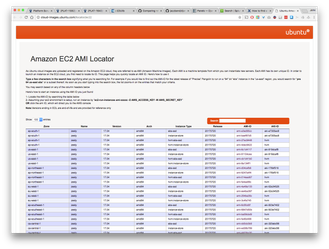
- Visit this URL: http://cloud-images.ubuntu.com/locator/ec2/
- Enter the following terms in the search box: us-east-1 hvm ssd xenial amd (for 16.04) OR us-east-1 hvm ssd bionic amd (for 18.04)
- Exactly one AMI should be showing in the filtered list:
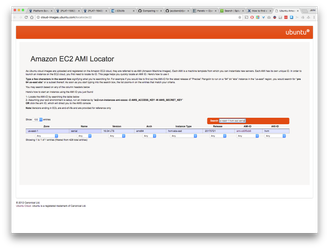
- The term definitions:
- us-east-1: The region in which we run our edX infrastructure (currently).
- hvm: Virtualization type allowing faster virtualization
- ssd: Supports solid-state drives for fast disk access.
- xenial: Codename for Ubuntu 16.04
- bionic: Codename for Ubuntu 18.04
- amd: System processor
- Use the AMI ID, which is in the form "ami-xxxxxxxx".
Related content
Large Instances Meeting Notes 2024-04-30
Large Instances Meeting Notes 2024-04-30
More like this
Large Instances Meeting Notes 2024-08-20
Large Instances Meeting Notes 2024-08-20
More like this
Large Instances Meeting Notes 2024-10-29
Large Instances Meeting Notes 2024-10-29
More like this
Large Instances Meeting Notes 2024-08-06
Large Instances Meeting Notes 2024-08-06
More like this
Large Instances Working Group
Large Instances Working Group
More like this
Open edX Releases Homepage
Open edX Releases Homepage
More like this